Whether you're a student, marketer, or professional, the frustration is the same: you write with AI help, and a detector flags it. Even when the ideas are yours. This guide explains why that happens, how detectors actually work, and how to make AI-assisted writing read naturally. No gimmicks and no false guarantees. Just what genuinely holds up.
Why does AI text get flagged?
AI writing gets flagged because it's too smooth. Language models pick the most statistically likely next word again and again, so the output is uniform and predictable. The opposite of how people write. Detectors are trained to spot exactly that pattern.

How AI detectors actually work

Most detectors score two things:
- Perplexity: predictability of word choice. Low perplexity looks machine-made.
- Burstiness: variation in sentence length and structure. Low burstiness looks machine-made.
Human writing is naturally 'bursty' and less predictable. So the real goal isn't to trick a detector. It's to write with the variation and specificity that make text read human in the first place.
How to make AI writing read naturally
- Vary sentence length. Mix long, detailed sentences with short, direct ones.
- Cut filler phrases like 'it is important to note that' and 'in conclusion'.
- Add concrete details, examples, and opinions only you would include.
- Break perfect structure. Real writing has personality, not just tidy parallelism.
- Read it aloud. Anything that sounds robotic gets rewritten.
The fastest way to apply all of this is an AI humanizer, which restores natural rhythm and word choice automatically. Then you polish from there.
Do the same test the detectors do
Before you submit, run your text through an AI detector to see how it reads to a machine. If it flags, humanize and edit until it reads naturally, then check again.
The honest bottom line
There's no permanent trick to 'beat' AI detection. The tools update too often for that. What lasts is writing that's genuinely varied, specific, and in your own voice. A humanizer gets you most of the way there in seconds. Your own editing does the rest. Combine the two and you'll produce work that reads human because it largely is.
Frequently asked questions
Can you fully bypass AI detection?
No tool can guarantee it across every detector and every update. What you can do is make your writing read genuinely natural, which is what consistently lowers detection scores.
Is it free to humanize my text?
Yes. Start free with our AI Humanizer, no credit card required.
Does bypassing AI detection actually work?
Against the detector, often yes. Against the assignment, that is a different question, and the published data shows both halves at once. In a 2024 study in the International Journal of Educational Technology in Higher Education, Perkins and colleagues ran 805 samples through six AI text detectors, then re-ran the same content after applying six evasion techniques. Start with the baseline, because it is the part people skip: on untouched AI generated text, mean detector accuracy was only 39.5 percent, and only 67 percent of the human written control samples were correctly identified as human. Evasion then dropped average accuracy from 39.5 percent to 22.14 percent. So the techniques do move the number. What they cost is the whole story.
Which tricks lower an AI detection score, and what does each one do to your writing?
The same study ranked six techniques by the detector accuracy that survived them. Lower accuracy means better evasion. Adding spelling errors, 12.9 percent. Increasing burstiness, meaning erratic sentence lengths, 15.9 percent. Paraphrasing, 18.4 percent. Decreasing complexity, 21.0 percent. Writing as a non-native English speaker, 27.7 percent. Increasing complexity, 37.0 percent.
Read that list as a grading rubric and it inverts. The two most effective ways to defeat an AI detector in that study were to put spelling mistakes into your work and to make your sentence lengths random. Both lose marks with any human reader. The one technique that made the prose more sophisticated, increasing complexity, was also the least effective at evasion, shifting accuracy by about 2 percentage points. There is no version of this where the detector-optimal document is also the well-written one.
If detectors are that inaccurate, why not just ignore them?
Because the inaccuracy cuts both ways, and the second direction is the one that hurts you. In that same study only 67 percent of genuinely human written control samples were classified correctly, so roughly a third of real human writing failed to be confidently identified as human. That is a good argument for pushing back on a bad accusation. It is a terrible argument for treating a clean score as a clean bill of health. The authors' own conclusion is that these tools cannot currently be recommended for determining whether violations of academic integrity have occurred, though they may support learning when used non-punitively.
Do AI detectors get updated to catch bypass tools?
Yes, and there are dates on it, which is why it worked last semester is the most reliable warning sign in this subject. On 16 July 2024 Turnitin upgraded AI writing detection to include paraphrasing detection, highlighting text its model predicts was AI written and then run through a paraphrasing tool in a different colour from plain AI writing. On 27 August 2025 it announced AI bypasser detection, aimed explicitly at humanizer output, English only at launch. Both releases post-date the evasion study above, so those figures describe a model that has since been retrained against exactly that behaviour. Any evasion claim without a date on it is worthless.
What actually works instead of trying to bypass detection?
Write something a model could not have produced for you, then edit it like an editor rather than spinning it like a paraphraser. Concretely: the argument you actually hold rather than the balanced summary, the example from your own week or seminar or job, the source your reading list gave you that a general purpose model would never surface, the counterpoint you find genuinely annoying. Then cut the sentences that state the obvious, delete the paragraph that says the same thing twice, and let sentence length vary because your meaning varies rather than because a metric wants variance. This is good writing that happens to read as human, which is the only version that survives the next model update.
How do I prove I wrote it if I get flagged anyway?
With process, not with a score. Draft in a document that keeps version history, which Google Docs and Word both do by default, and keep your outline and notes instead of deleting them. Two commercial tools formalise the same idea: Grammarly Authorship, in general release since October 2024, records which parts of a document were typed, pasted, or generated with AI; Turnitin's own Clarity, generally available since 15 July 2025 as a paid Feedback Studio add-on, shows instructors drafting history, pasted text and writing time instead of a probability. A time stamped trail of the work happening is the one thing here that a detector's error rate cannot talk its way around.
What does not work, and why?
Stacking humanizers. Each pass optimises against the previous pass's output, meaning drifts twice, and the rhythm usually re-flattens rather than improving.
Deliberately adding typos. It was the single most effective evasion technique measured in the 2024 study, at 12.9 percent detector accuracy, and it is also the fastest way to lose marks from the human who grades you.
Character substitution and invisible unicode. That is document tampering rather than writing, it is visible to anyone who inspects the file, and it is treated as intent to deceive under most academic integrity policies rather than as a style choice.
Buying an undetectable guarantee. No vendor controls when Turnitin retrains, and Turnitin's 27 August 2025 bypasser release was aimed at that product category by name. A guarantee that depends on a competitor's release schedule is not a guarantee.
Round-tripping through machine translation. Weber-Wulff and colleagues found in 2023 that content obfuscation techniques significantly worsen detector performance, and machine translation was among them, so it does move the score. It also mangles your terminology, your hedges and your citations on the way through, which a subject specialist notices immediately.
More questions about bypassing AI detection
Will a low AI score protect me if I am accused?
Not on its own. Your instructor sees their institution's detector, not yours, and the published spread between tools on identical text is wide enough that a low score elsewhere proves nothing about the report in front of them. Process evidence, drafts and version history is what actually changes the outcome of that meeting.
Can Turnitin tell which humanizer I used?
Turnitin says its bypasser detection flags content that may have been further modified by leading bypassers, announced 27 August 2025. It does not publish a list of which tools it recognises, how it identifies them, or an independently verified accuracy figure for that specific capability, so treat any confident claim about naming a particular humanizer, in either direction, as unverified.
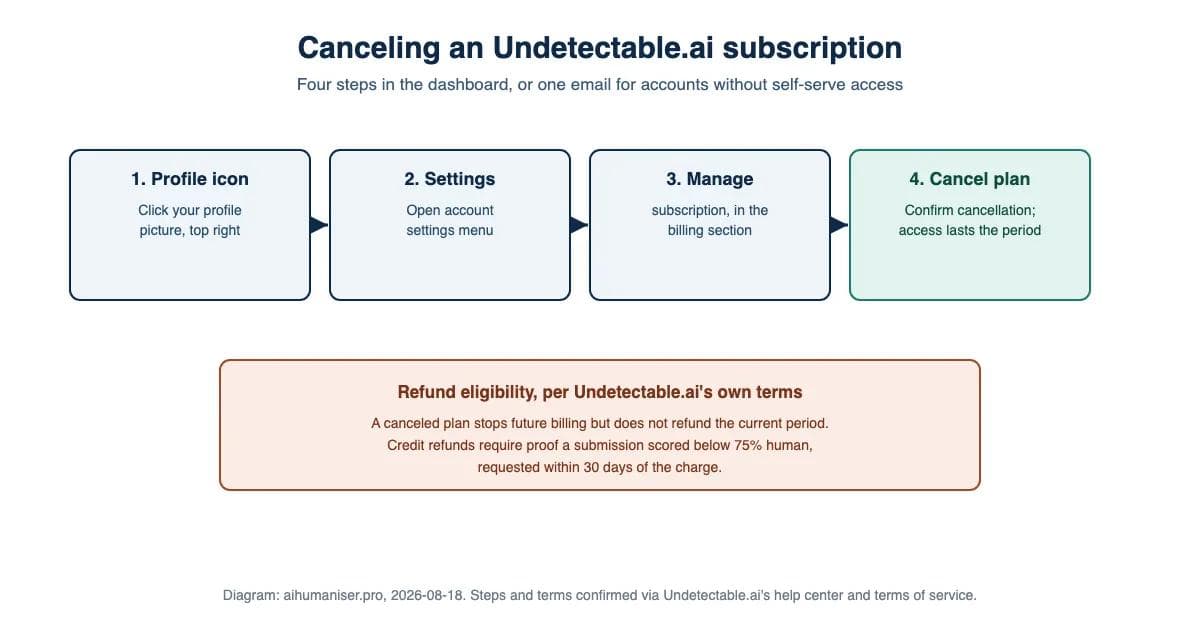
How this was made: this post predates this site's "How this was made" disclosure convention, which was added 2026-08-16. Drafting was AI-assisted with human editing. This paragraph and the diagram above were added during a 2026-08-29 accuracy pass; the diagram summarises points the post already made, and no claim in this post was re-verified beyond what is stated above.